

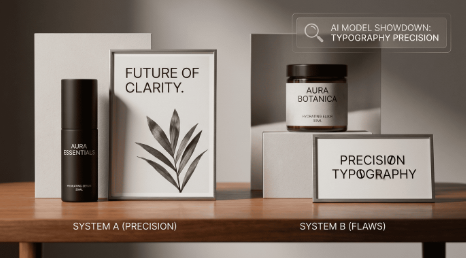
Creating visuals with AI has become much easier, but generating clean and readable text inside images is still a challenge for many AI image generators. While some platforms create impressive visuals, the typography often looks broken or distorted when used for posters, banners, or promotional graphics.
That is why Higgsfield AI Image Generator and Ideogram are getting attention from creators and marketers. Higgsfield AI focuses more on cinematic visuals and premium branding content, while Ideogram performs better for text-based visuals with cleaner typography. If you are a creator who creates thumbnails, quotes ads, or posts on social media, selecting the right tool can help make the creation of content much quicker and simpler.
Quick Comparison Overview
| Feature | Higgsfield AI Image Generator | Ideogram |
| Best For | Cinematic branded visuals | Text-based AI visuals |
| Main Strength | Premium image quality | Accurate text generation |
| Ease of Use | Medium learning curve | Beginner-friendly |
| Typography Quality | Decent but inconsistent | Excellent text rendering |
| Best Use Cases | Campaign creatives | Posters, thumbnails, quote graphics |
| Editing Flexibility | Moderate | Simple workflow |
| Workflow Speed | Slower refinement process | Fast generation process |
| Output Style | Cinematic and polished | Clean and text-focused |
Higgsfield AI Image Generator Overview
What Higgsfield AI Does Well
Higgsfield AI Image Generator focuses specifically on image quality. It is more of an artistic tool rather than a simple editing tool. Instead of using templates the workflow revolves around prompts and composition, lighting and styling.
The most significant benefit for users of Higgsfield AI is its overall aesthetic polish. Images are often stunning high-end, professional and created when compared to other ordinary AI image-generating software.
During tests the platform, it performed particularly well in the following areas:
· Luxury branding visuals
· Advertising for products
· Cinematic social media creatives
· Fashion-inspired promotional content
· Premium campaign graphics
The quality of lighting and the depth are evidently better than the results that many light AI tools create.
For those who create visually appealing brands, this is vitally important.
Core Features
· The Cinematic AI algorithm for image creation
· Advanced lighting direction
· High-detail visual rendering
· Prompt-oriented workflow
· Strong branding visuals
Best Use Cases
It works best for those who are incredibly concerned about the quality of their presentation.
It is especially helpful to:
· Paid ads with creatives
· Product marketing visuals
· Branding campaigns
· Fashion content
· Creative agency work
If your images need to appear expensive or professionally created, Higgsfield AI Image Generator is a great choice.
Limitations
The biggest weakness for text-based visuals is typography accuracy.
It can generate beautiful visuals, but when large amounts of readable text are required, results become inconsistent. Sometimes the letters look distorted, incomplete, or slightly broken.
That makes it less reliable for:
· Posters with headlines
· Quote graphics
· Promotional banners
· Typography-focused designs
· Text-heavy thumbnails
For creators who need clean text inside visuals consistently, this becomes frustrating quickly.
Ideogram Overview
Why Ideogram Became Popular So Quickly
Ideogram gained popularity due to the fact that it tackles something many AI image makers struggle with: the ability to read text in images. While numerous AI tools can create stunning images, their typography frequently appears blurred or incomplete. Ideogram excels when creating banners, posters quotes, logos, quote graphics and social media images with clear text.
For those who create texts every day this is a major benefit. Instead of fixing typography that is broken with Photoshop or Canva, users can create visuals that contain usable text directly within the image, thereby making the entire process much quicker and simpler.
Core Features
· AI-generated typography
· Accurate text rendering
· Fast image generation
· Simple prompt workflow
· Poster and banner creation
Best Use Cases
Ideogram works especially well for:
· Quote graphics
· Posters
· YouTube thumbnails
· Social media ads
· Text-based promotional visuals
For creators producing large amounts of text-heavy content, Ideogram feels much more practical.
Limitations
Ideogram performs well for typography, but cinematic realism is not always its strongest area.
Compared side-by-side with Higgsfield AI Image Generator, the visuals sometimes feel flatter or less dramatic. The compositions are clean, but they do not always have the same premium lighting depth or cinematic styling.
For everyday content, that is usually fine.
But for luxury branding campaigns or highly polished advertising visuals, the difference becomes noticeable.
Feature-by-Feature Comparison
AI Image Quality
This category clearly favors the Higgsfield AI Image Generator.
The platform consistently produces:
· Better lighting
· More cinematic depth
· Stronger composition
· Premium visual textures
· More polished branding visuals
The outputs feel professionally art-directed. Ideogram still creates good visuals, but the focus is more on layout and typography rather than cinematic realism.
For pure image quality, Higgsfield performs better overall.
Winner: Higgsfield AI Image Generator
Text Rendering Accuracy
This is where Ideogram completely changes the conversation. Most AI image generators still struggle with readable typography, especially for long headlines or promotional text. Ideogram handles this surprisingly well.
During the testing, Ideogram consistently generated:
· Clean headlines
· Typewriters that can be read
· Proper spacing
· Cleaner letter structure
· Better text positioning
Higgsfield AI is able to generate small text on occasion, however longer typography tends to be distorting. For visuals based on text, Ideogram is significantly more robust.
Winner: Ideogram
Ease of Use
Ideogram is a great tool for beginners. Its process is easy, quick, clear and efficient. The user is asked to enter a message, create visuals and typically, you will receive results that are usable.
It requires further experimentation using commands and visual direction prior to getting to refined outputs. The learning curve can cause frustration to novice creators.
Winner: Ideogram
Workflow Speed
Ideogram performs faster in daily production of content.
Since the platform is focused on the speedy generation of typography the creators are able to create banners, posters and social graphics quickly without the need for multiple editing processes.
Higgsfield AI usually requires faster refining and regeneration.
This extra effort enhances image quality, but slows down production speeds.
Winner: Ideogram
Visual Originality
Higgsfield AI Image Generator performs better with respect to quality and originality, as well as high-end branding. Cinematic style helps to make content stand out in a sea of social feeds. The images appear more professional and expensive.
Ideogram provides clean, crisp images however, many of its outputs are more on function than presentation. For designers who want to create a brand image that is visually stunning, Higgsfield feels stronger overall.
Winner: Higgsfield AI Image Generator
Which Tool Works Better for Text-Based Visuals?
This honestly depends on what kind of content you create regularly.
Choose Higgsfield AI Image Generator If:
· You prioritize cinematic visuals
· You create luxury branding content
· You focus on premium ad creatives
· You want visually dramatic AI imagery
· Text is not the main focus of your visuals
For creators building high-end visual campaigns, Higgsfield AI Image Generator produces stronger-looking content overall.
Choose Ideogram If:
· You create quote graphics regularly
· You design posters and banners often
· You need readable text inside AI visuals
· You create YouTube thumbnails
· You make social media promotional graphics
When it comes to content that is heavily text-based, Ideogram simply feels more practical.
In reality, the quality of typography is more important than many originally think about when they create regular content.
Pricing Comparison
| Plan | Higgsfield AI Image Generator | Ideogram |
| Free Access | Limited credits | Free plan available |
| Starter Plan | Around $5/month | Around $15/month (plus) |
| Pro Plan | Around $39-49/month | Around $42/month |
| Enterprise | Custom pricing | Team plans available |
Pricing is frequently changed for AI platforms for image generators including credit-based tools.
Always make sure to check the current price before signing up.
Pros and Cons
Higgsfield AI Image Generator
Pros
· Excellent cinematic image quality
· Strong premium branding visuals
· Improved lighting, composition and color
· Great for ad campaigns
· Visual presentation with high-end design
Cons
· The generation of typography is not consistent
· The learning curve is greater
· The workflow is slower for daily content
· It is not practical for visuals with lots of text.
Ideogram
Pros
· Excellent readable text generation
· A faster workflow for creators
· Interface for beginners
· Ideal for banners and posters.
· Reliable typography rendering
Cons
· Cinematic realism is less
· Sometimes, it can feel like the visuals are flatter.
· Not as powerful for luxury branding.
· The artistic depth is generally lower.
Final Verdict
Higgsfield AI Image Generator works better for creators who want cinematic, premium-quality visuals for branding and ad campaigns. The platform delivers stronger lighting, depth and overall visual polish.
Ideogram is the best option for text-based images such as posters and banners. It is also a good choice for thumbnails, banners and quote graphics since its typography generation process is more precise and trustworthy.
If the quality of your images is most important then go with Higgsfield AI. If the ability to read text and speedier daily content creation is more important, Ideogram is the more feasible option.